 DYALO
Applying is always free. The red numbers on each picture match the steps.
How to apply, step by step
Step 1. Find jobs
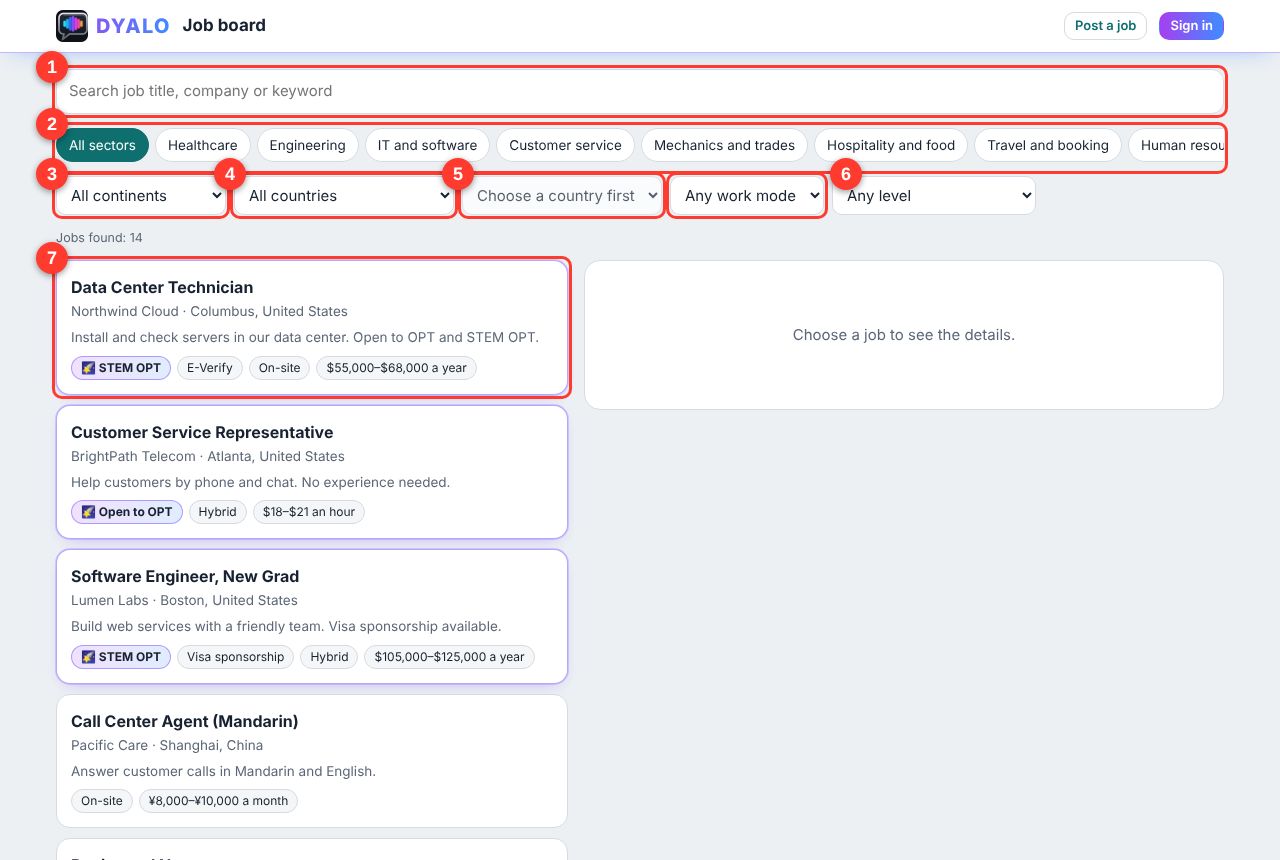
- Type a job title, company or keyword.
- Tap a sector tab, for example IT and software or Customer service.
- Choose a continent.
- Choose a country.
- Choose a city (it opens after you choose a country).
- Choose on-site, hybrid or remote, and your level.
- Jobs with the 🌠 star are open to OPT or STEM OPT.
Step 2. Choose your country and city
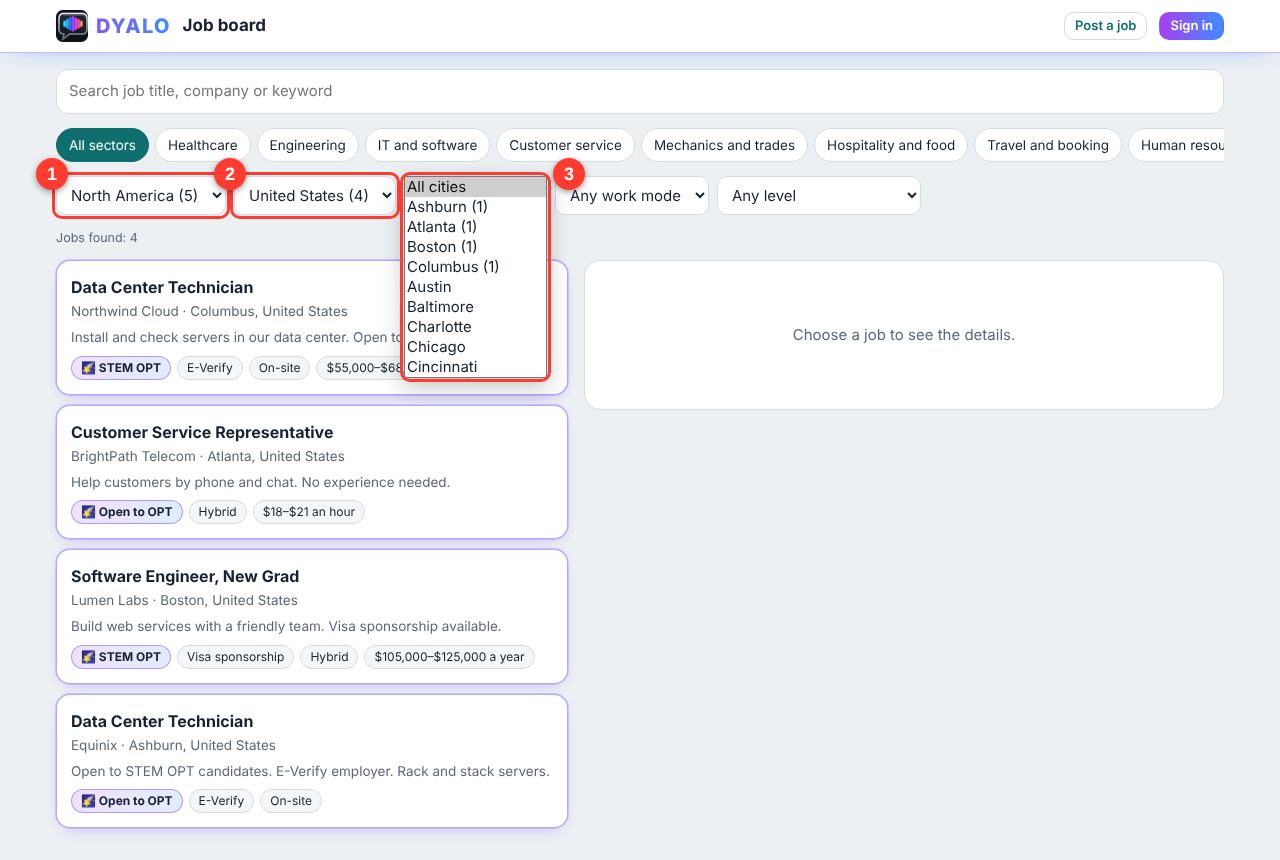
Choose the continent (1), then the country (2), then the city (3). Places that have jobs show a number and come first.
Step 3. Open a job
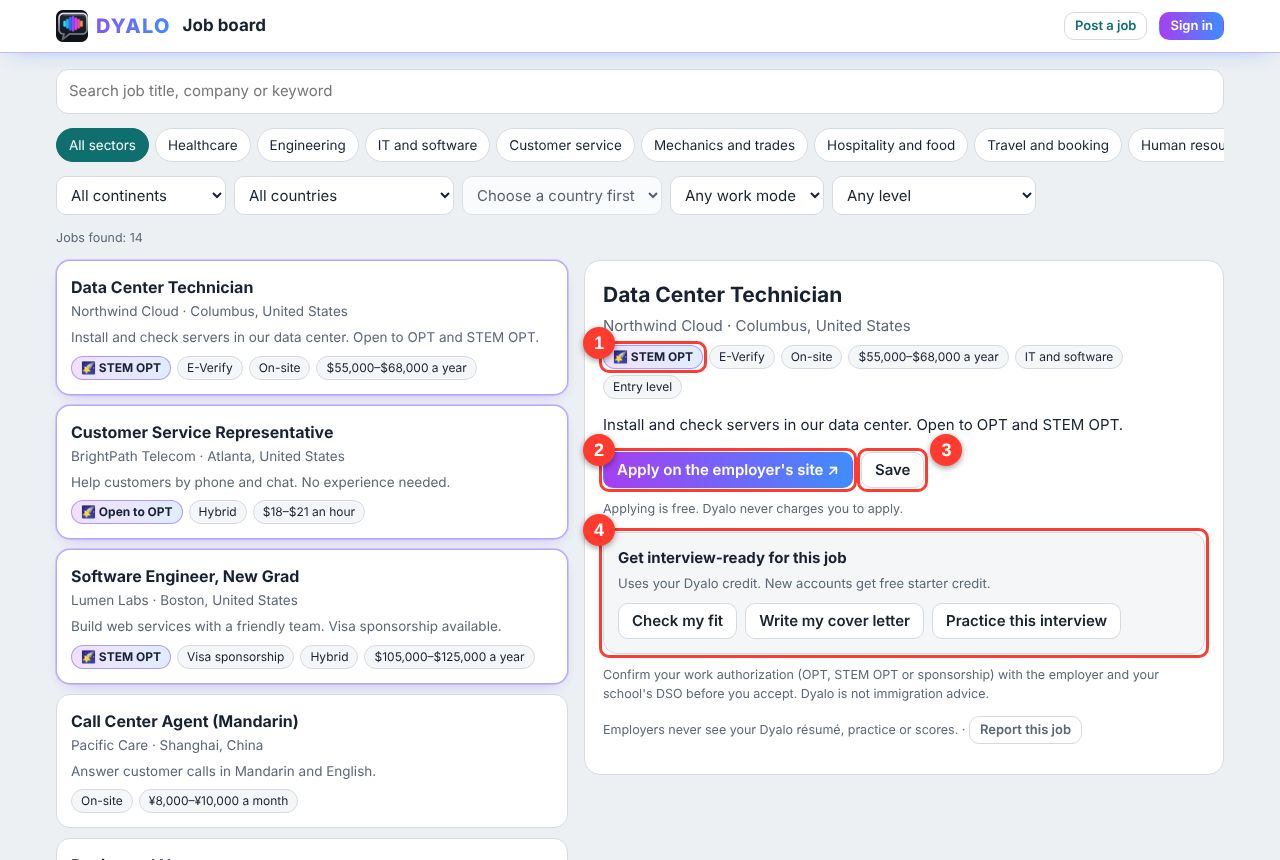
- The 🌠 star means the employer says the job is open to OPT or STEM OPT.
- Click Apply on the employer's site. You apply on the company's own website, for free.
- Click Save to keep the job in My jobs.
- Get interview-ready for this job (Step 5).
Step 4. Sign in (free)
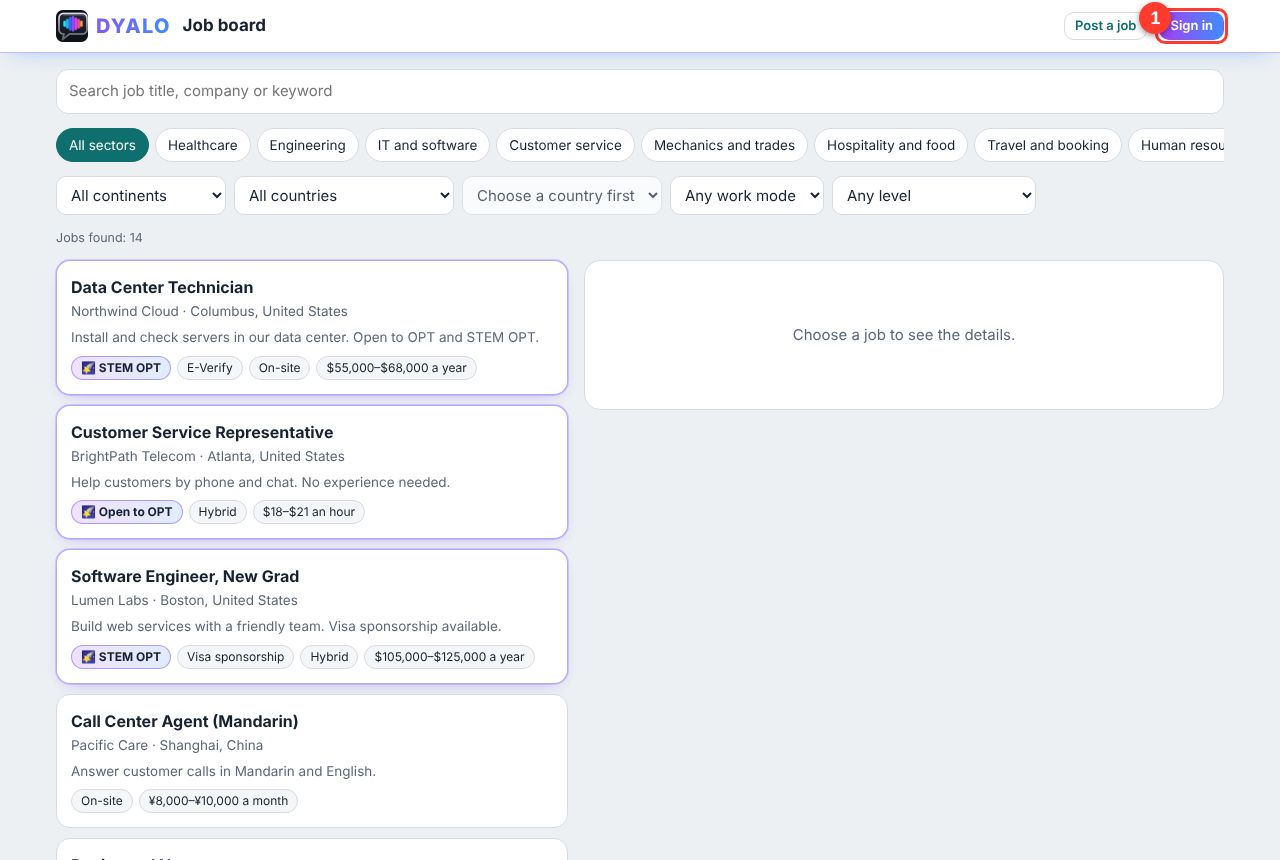
Click Sign in (1). Type your email and Dyalo emails you a one-time code. No password needed. After you sign in, Dyalo brings you back to the same job.
Step 5. Get interview-ready
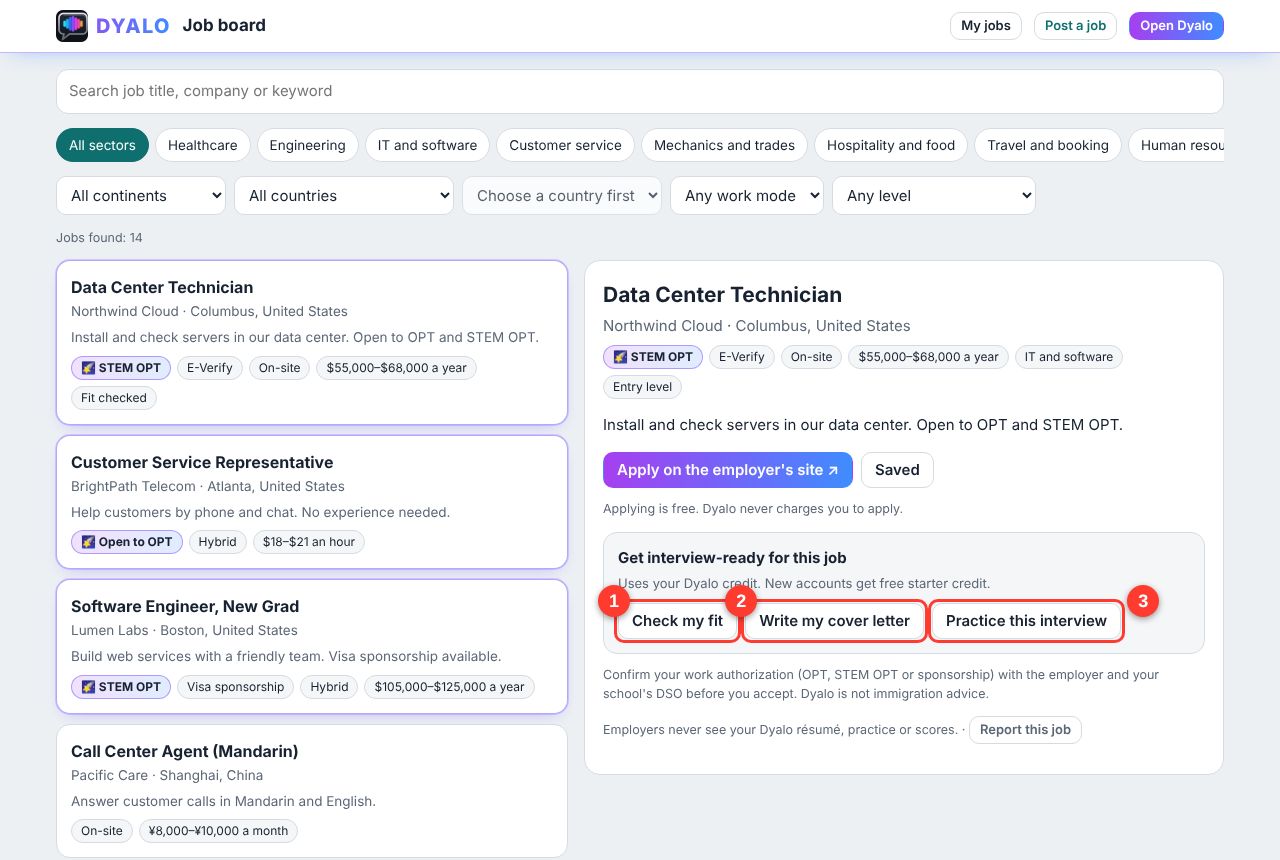
- Check my fit: see how well your résumé matches this job.
- Write my cover letter: Dyalo writes a letter for this job. You can edit it.
- Practice this interview: a mock interview built from this job.
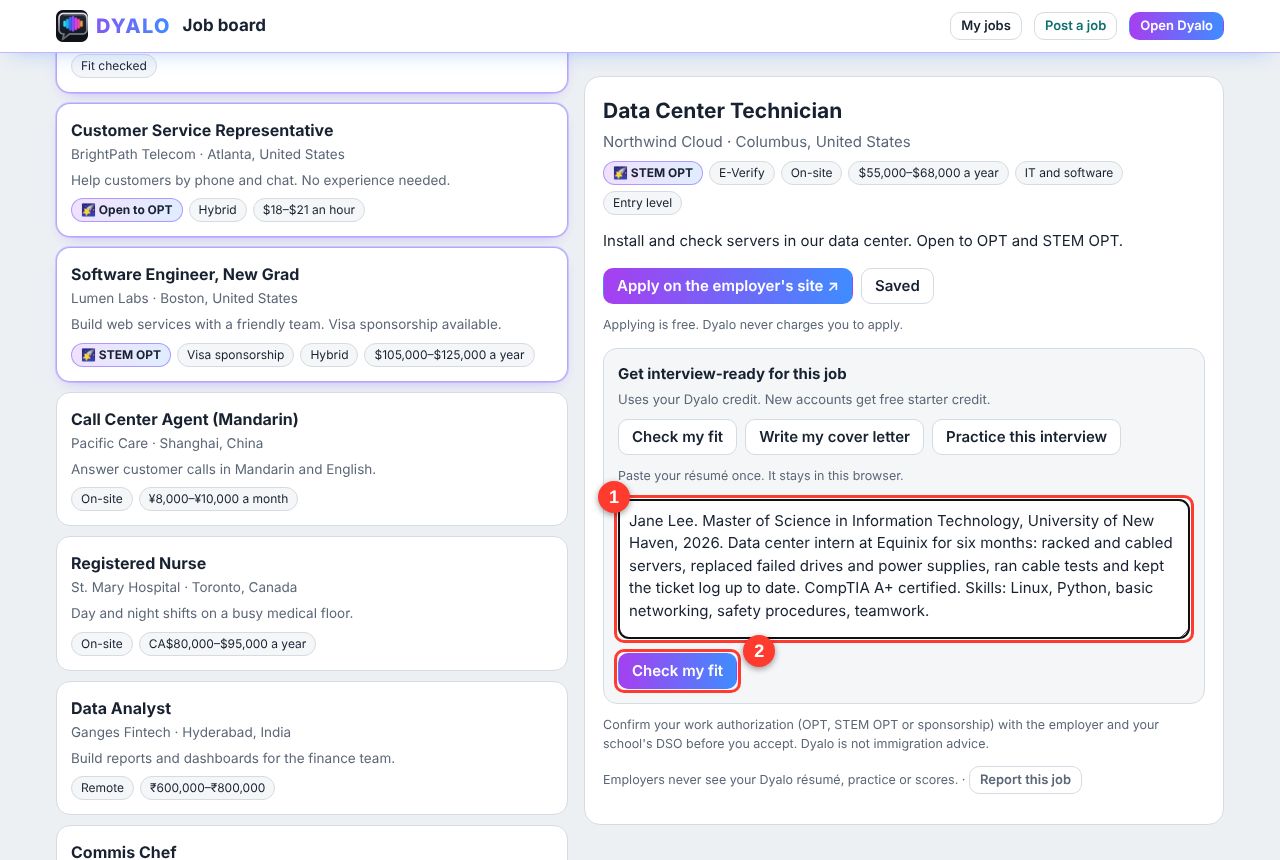
The first time, paste your résumé (1) and click Check my fit (2). It stays in your browser for next time.
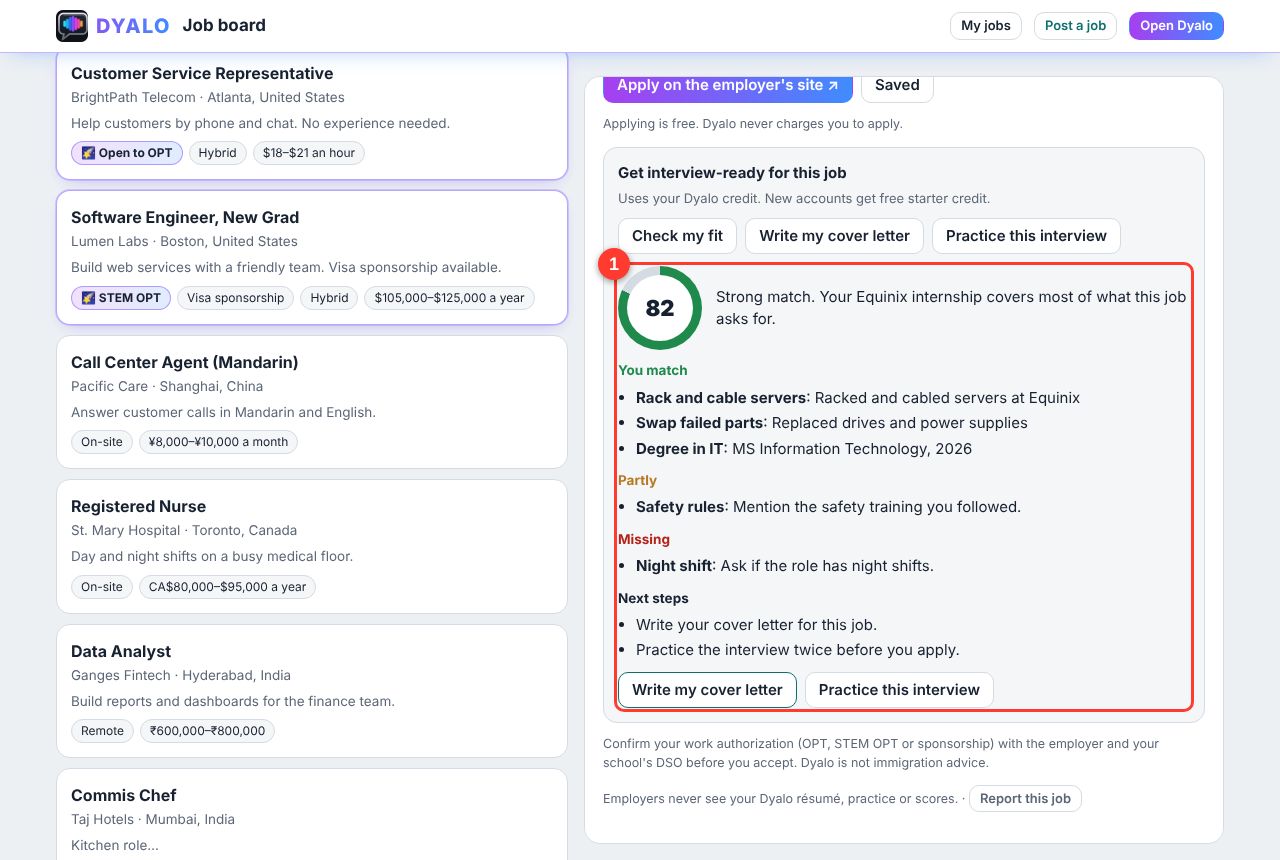
You get a score out of 100, what you match, what is missing, and what to do next (1).
Step 6. Track your jobs
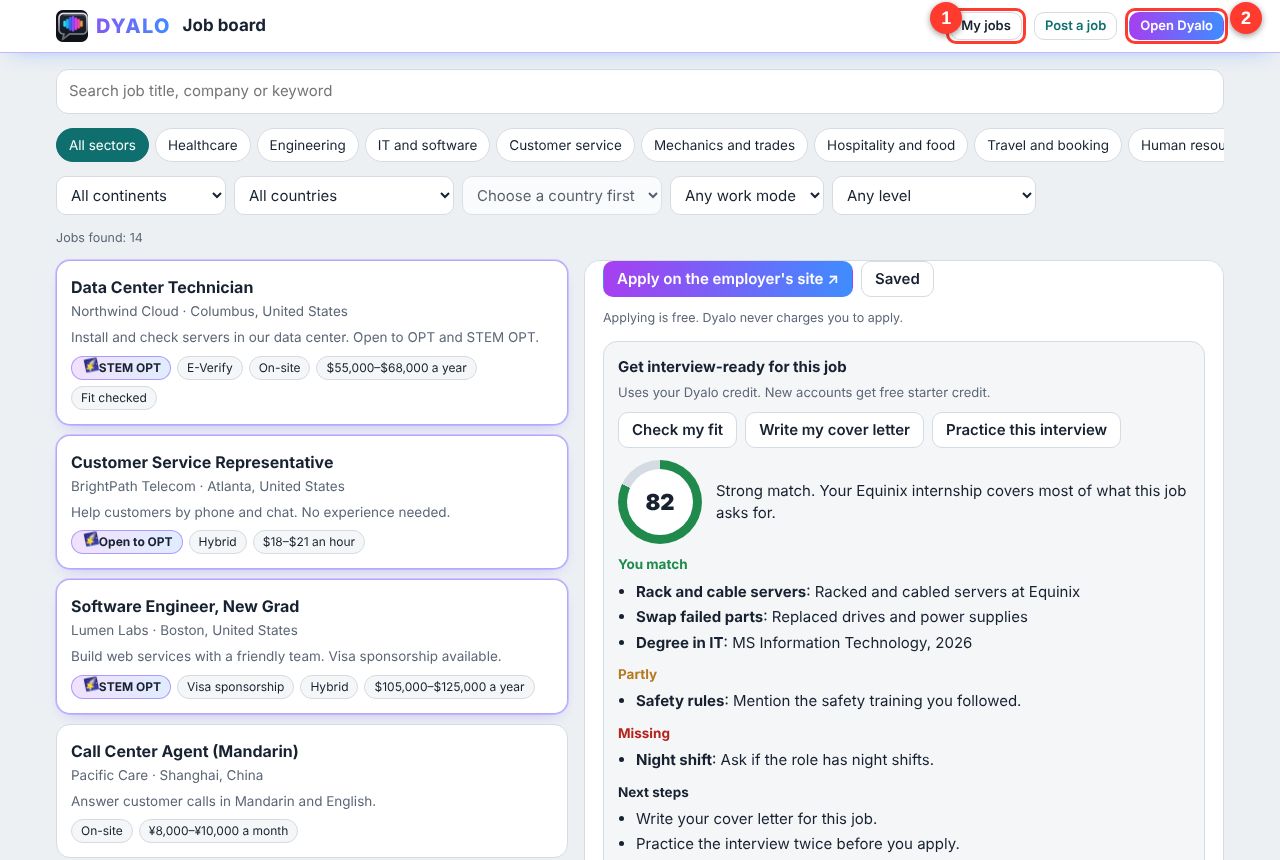
Click My jobs (1) at the top. Open Dyalo (2) takes you back to the app.
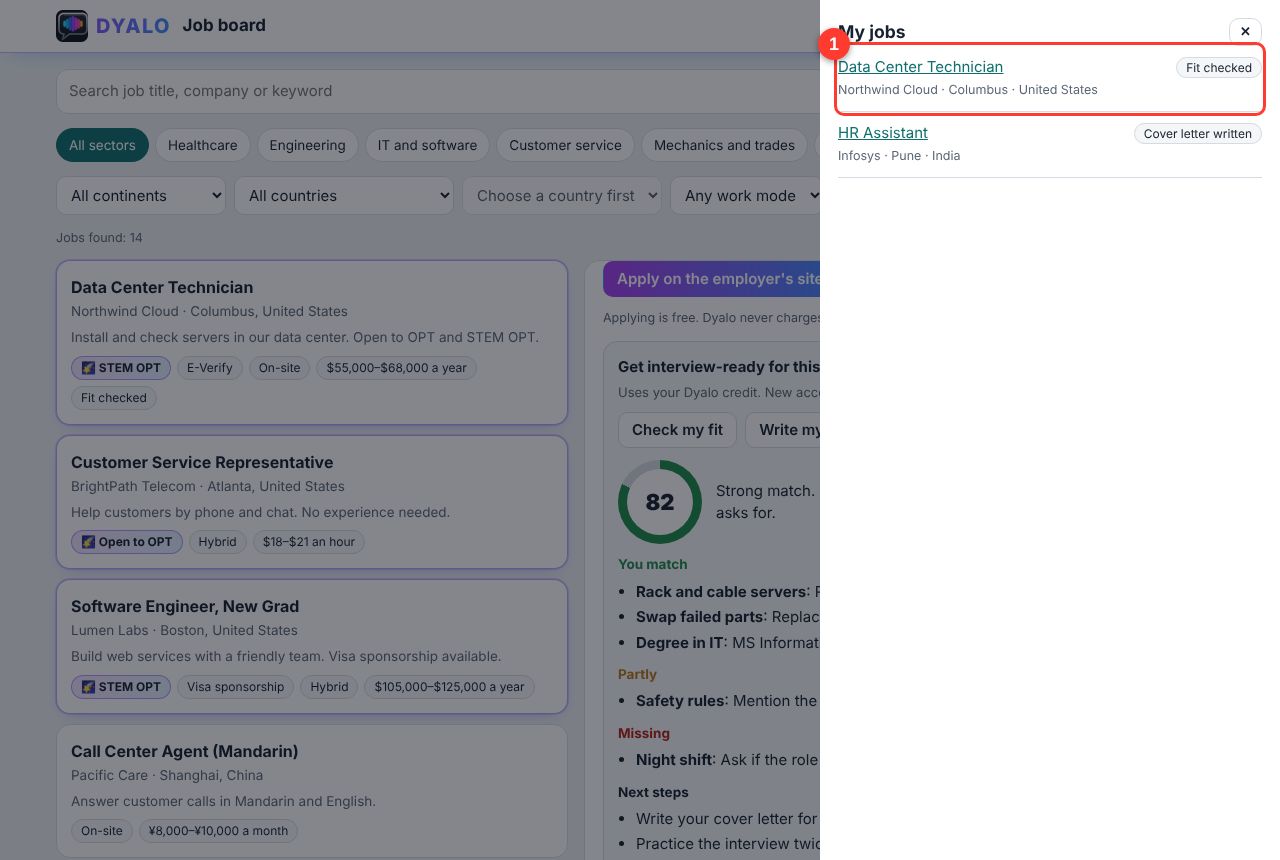
Every job you saved, checked or practiced is here with its status (1). Got hired? Click I got the job! so we can celebrate with you.
Questions and answers
Does it cost money to apply?
No. Applying is always free, and Dyalo never charges you to apply. You apply on the employer's own website.
What is My apply kit?
Click My apply kit on any job. It keeps your name, phone, work authorization, salary expectation and start date, your résumé, a cover letter written for that job, and answers to common application questions, each with a Copy button. Paste them into the employer's form to apply in minutes. Your details stay in your browser; writing the letter and answers uses your Dyalo credit.
What is Apply with Dyalo?
Some employers who post on Dyalo receive applications by email. On those jobs, click ⚡ Apply with Dyalo, check your details, tick the box to agree, and click Send my application. The employer gets your name, email, phone, résumé and cover letter and replies to you directly. You can apply once per job.
Do I need an account?
No account is needed to search, read jobs or apply. Sign in (free) to check your fit, write a cover letter, practice the interview, and keep My jobs on all your devices.
How much do the get-ready tools cost?
They use your Dyalo credit. New accounts get free starter credit. You can buy more credit any time, and it never expires.
What does the 🌠 star mean?
The employer says the job is open to OPT or STEM OPT. Always confirm your work authorization with the employer and your school's DSO before you accept. Dyalo is not immigration advice.
I can't choose a city. Why?
Choose a country first. Then the city list opens with the main cities. Cities that have jobs show a number.
Can employers see my résumé or my scores?
Never your practice or your scores. Employers only see what you choose to send them: what you type into their own form, or, when you click Apply with Dyalo, your name, email, phone, résumé and cover letter, after you tick the box to agree.
A job looks fake or the link is broken. What do I do?
Open the job and click Report this job at the bottom. We review reported jobs and take them down if needed. Never pay anyone to get a job.
Can I read the Job board in my language?
Yes. The Job board uses the language you chose in Dyalo. Job posts stay in the language the employer wrote them in, and the cover letter and practice tools can work in your language.
I got the job! What now?
Congratulations! Open My jobs and click I got the job! next to it. It helps us show employers that Dyalo works.