 DYALO
Founding employers post free. It takes about 5 minutes. The red numbers on each picture match the steps.
How to post a job, step by step
Step 1. Open Post a job
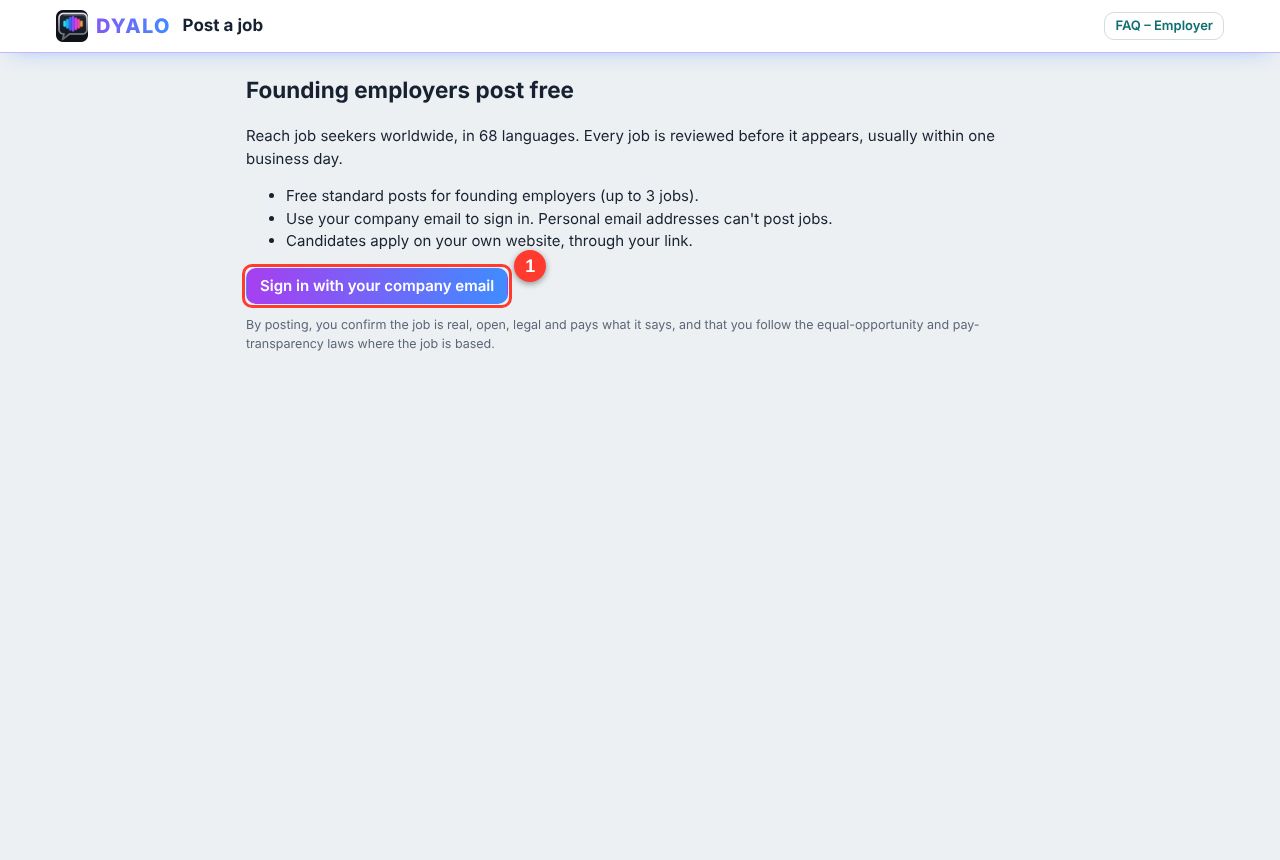
Go to dyalo.ai/jobs/post and click Sign in with your company email (1).
Step 2. Sign in with your company email

Type your work email, for example hr@yourcompany.com (1), and click Email me a sign-in code (2). Enter the code from your inbox. Gmail, Yahoo, Outlook and other personal addresses can't post jobs. After you sign in, Dyalo brings you back to the form.
Step 3. Fill in the job
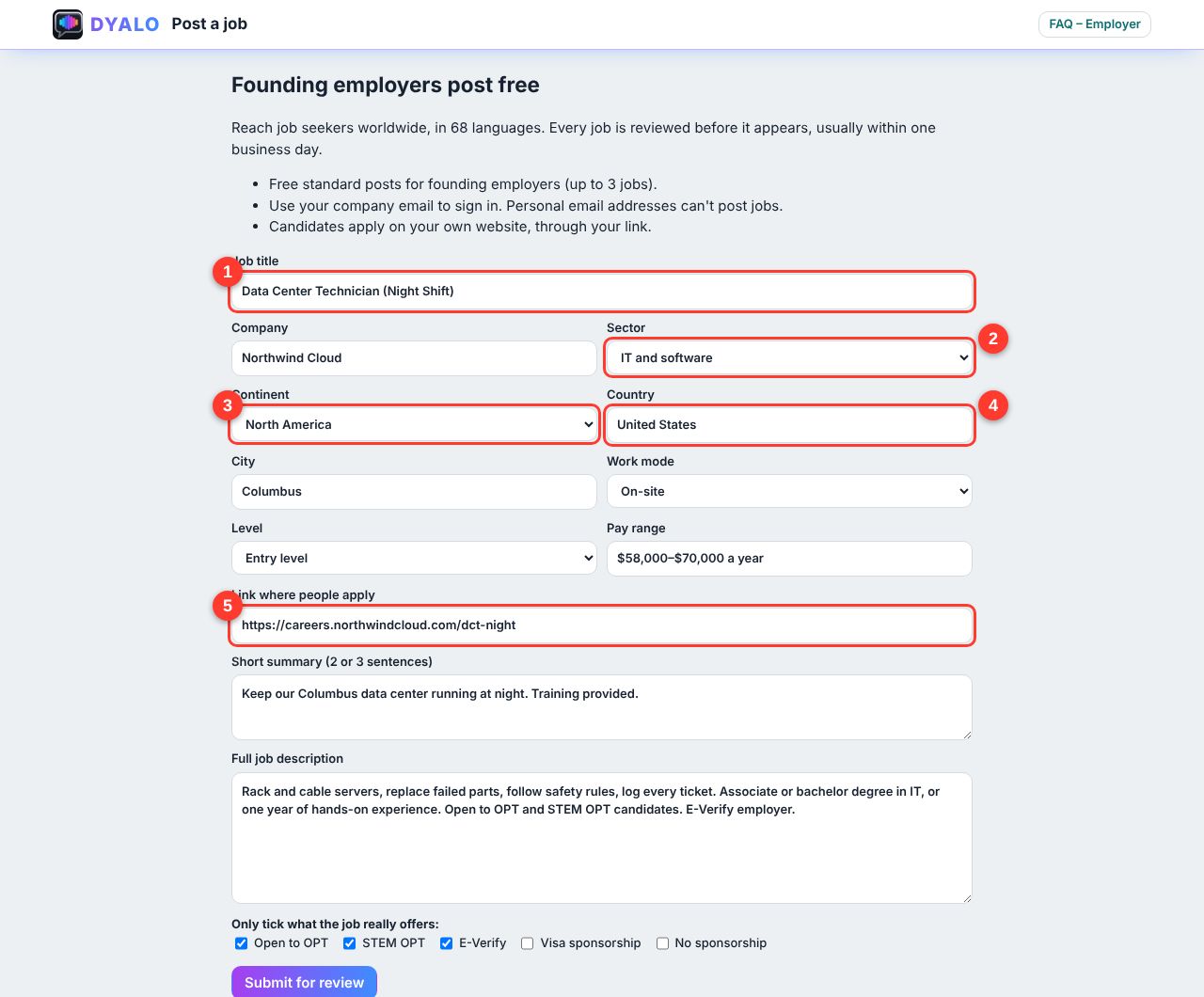
- Job title, as people search for it.
- Sector, so the job shows in the right tab.
- Continent.
- Country, then the city.
- How you receive applications: on your website (add the link), or by email with Apply with Dyalo (add your company email).
Adding the pay range helps you get more and better applicants.
Step 4. Describe the job and submit
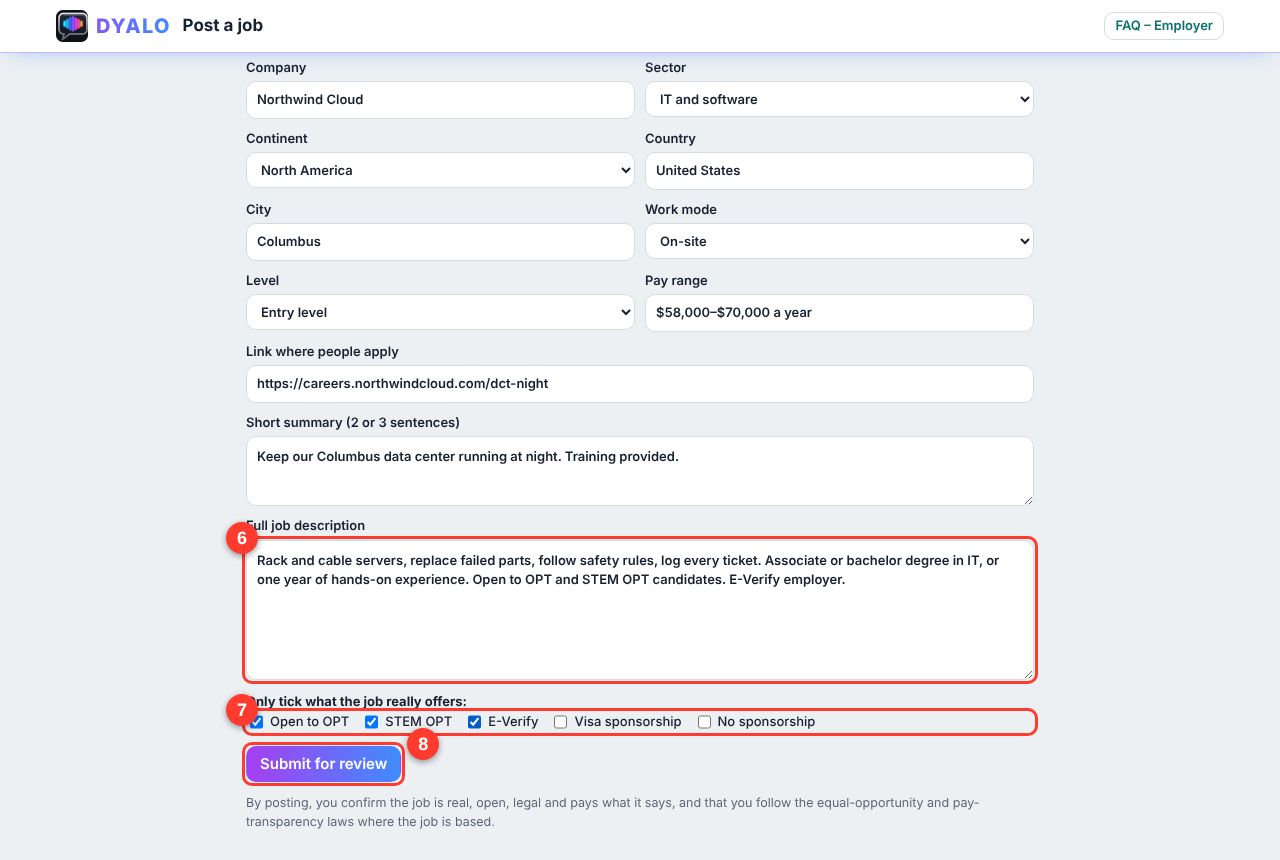
- Paste the full job description: duties, requirements and hours.
- Tick only what the job really offers: Open to OPT, E-Verify or visa sponsorship.
- Click Submit for review.
Step 5. Wait for approval
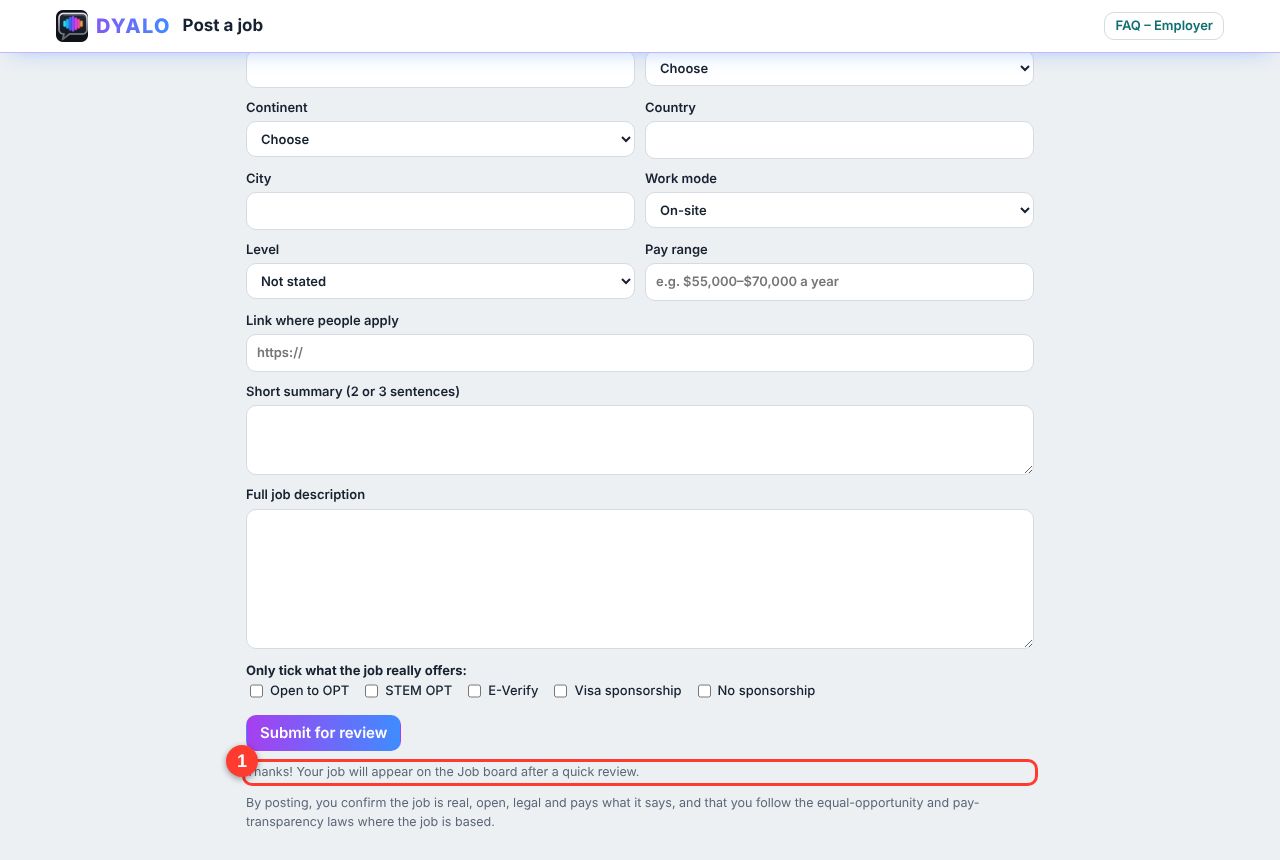
You see a thank-you message (1). We review every job, usually within one business day. Then it appears on the Job board.
Questions and answers
How much does it cost to post?
Founding employers post standard jobs free (up to 3 jobs). To have your job featured at the top of the Job board, contact us from the Partner with us page.
Why do I need a company email?
It shows the job is real and comes from your company. It protects students from fake jobs.
How long does the review take?
Usually within one business day. We check that the job is real, open, legal and pays what it says.
How do candidates apply?
You choose. On my website: candidates click Apply and go to your link. By email with Apply with Dyalo: candidates send their name, email, phone, résumé and cover letter in one click, straight to the company email you gave. Reply to the email to contact them.
How long does my job stay on the Job board?
45 days. To close it early, change it, or post it again, contact us from the Partner with us page.
What does Open to OPT mean?
It tells international students on F-1 OPT (including STEM OPT) that you will consider them. Tick it only if that is true. Tick Visa sponsorship only if you will sponsor a work visa.
Who will see my job?
Job seekers worldwide, in 68 languages, including international students in the US.
Can I post jobs outside the United States?
Yes. Choose the continent, country and city where the job is based. Remote jobs are welcome too.